Protect your cable TV setup during home renovations by taking the right precautions before work begins. Protecting your cable TV, internet, routers, cable boxes, and home theatre setup during renovations requires proactive planning to prevent damage from dust, debris, and accidental cutting. Key safety and protection measures include disconnecting and storing equipment, sealing outlets, using protective coverings like PVC conduit, and clearly labeling cables to ensure a smooth setup afterwards. Hiring a certified electrician ensures safe and up-to-code cable TV installation, along with a well-organized and concealed cable infrastructure.
For reliable installation and expert guidance, trust DTV Installations to keep your entertainment system protected from start to finish.
Renovations Survival Guide: Protecting Your TV and Cables
Cluttered wires and exposed, messy setups cause distress; that’s why homeowners seek tidy, concealed solutions to protect their cable TV setup during home renovations. There are increased risks of dust, debris, and physical accidents damaging TVs, cable boxes, and routers during home improvement projects. If you are searching for cable TV installation near me, understand that utilizing professional TV mounting services provides peace of mind and eliminates the risks of damage and fire hazards.
| Did you know?Inadequately shielded or poor-quality cables can cause electromagnetic interference (EMI), degrading the picture quality. |
Here is your guide to renovating without damaging TV cables.
Pre-Renovation Preparation
- Unplug the TV, routers, and cable boxes. Gently disconnect the HDMI and delicate coaxial cables, making sure not to kink them, as sharp bends can ruin the signals. Use masking tape to label every cable
- Wrap them in moving blankets and move them to a dry, dust-free environment such as your bedroom, away from all the sawdust and paint fumes.
- Plan the cable routes if the renovation involves moving the wall. Map out where you want cable outlets to be and ensure they are not placed in areas prone to damage or near heat sources.
- Document the wiring behind your TV and entertainment center to help with reassembly later.
| Important fact: Always use in-wall rated cables when hiding cables behind the wall to ensure safety and compliance with fire codes. |
Protection During Construction
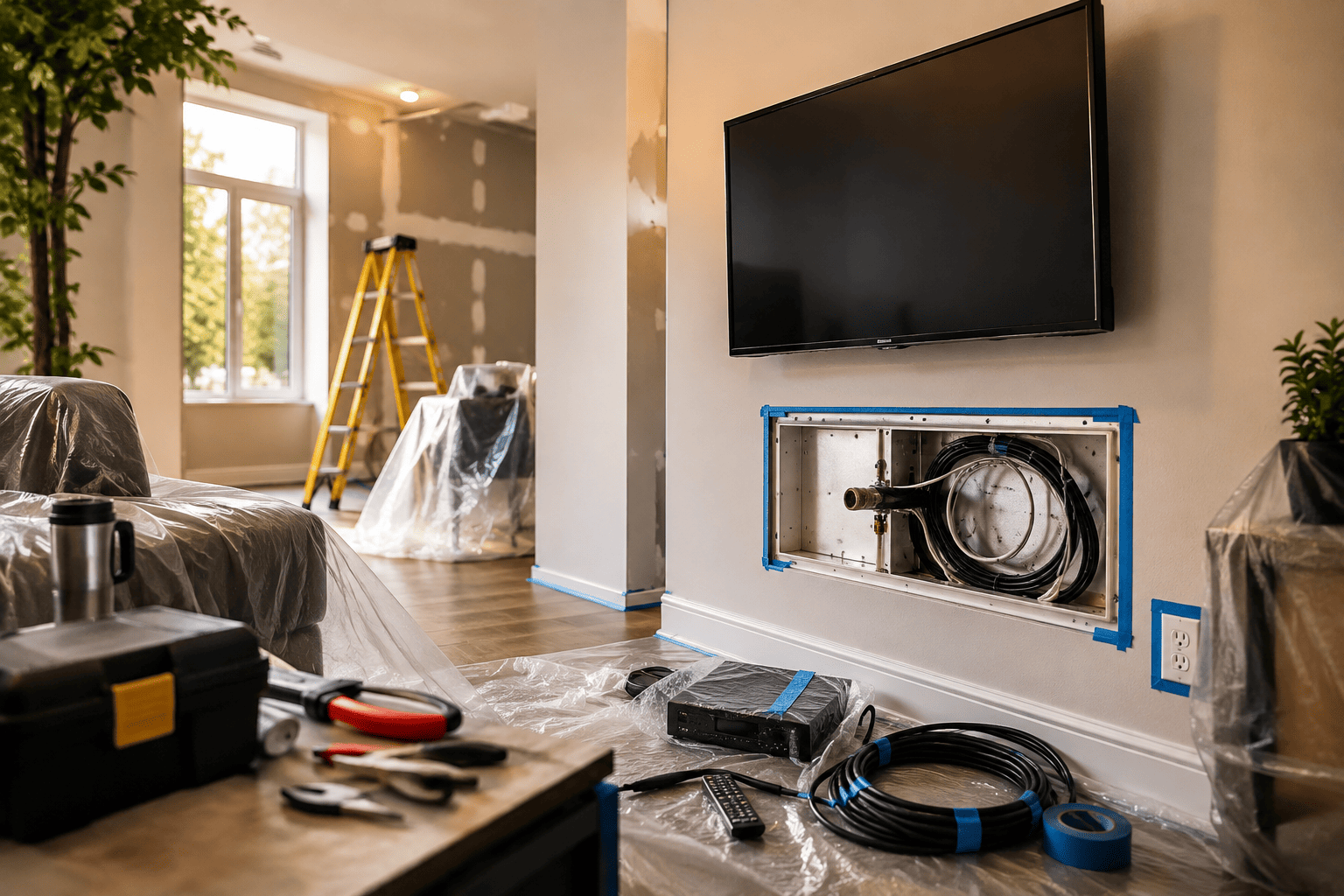
- Seal the outlet and cover the exposed coaxial wall plate with heavy-duty painter’s tape to prevent dust from settling into the connector.
- Use protective PVC conduit to keep the hidden wires safe from accidental damage during drilling or sawing.
- If cables must remain exposed during renovation, cover them with protective sleeves or cable mats to prevent cutting, crushing, or pulling.
- If you are running cables through the wall, use brush plates or cable grommets to safeguard cables against sharp edges.
Dust Management
- Cover the entire home theatre area with large, heavy-duty plastic sheets to prevent fine renovation dust from infiltrating electronics.
- If painting and plastering work is involved, make sure no moisture reaches the cable connections to prevent corrosion.
| Fast Fact: To future-proof your home, use this renovation opportunity to install conduit or run extra cables (like CAT6 or high-quality coax) for easier, less disruptive technology upgrades in the future. |
Safety and Compliance Tips
- To prevent overloading the circuit and overheating, do not use the extension cords to power equipment for long periods.
- Ensure all coaxial and HDMI cables are properly grounded to prevent damage from power surges.
Top Tips For Cable Protection
- Avoid tight bends. Do not exceed the bend radius of cables (typically 5cm to 7cm for HDMI). Sharp, tight bends can damage internal wire insulation, causing poor or no signals.
- Separate power and signal cables. Do not bundle high-voltage power cables with low-voltage coax or HDMI cables to prevent electromagnetic interference (EMI).
- Avoid running extension leads under carpets or rugs.
- Use clear, consistent labels to save time during installations.
Conclusion
Protecting your cable TV setup (coaxial cables, splitters, and amplifiers) during home renovations is crucial to prevent service interruptions and avoid costly repairs, ensuring seamless, modern aesthetics. If you are unsure about moving or cutting any low-voltage wiring (coax or Ethernet), hire a licensed professional to ensure compliance and prevent safety hazards.
FAQs
How can I identify which cable goes where after the renovation?
Label all cables (HDMI, coax, Ethernet) at both ends using wire markers, stickers, or masking tape before disconnecting them.
What should I do if a cable must remain active during home renovations?
Use flexible, heavy-duty conduit or cable covers to protect exposed cables from being crushed, cut, or damaged by tools or debris.
What is the best way to organize cables?
Use Velcro wraps or cable ties to bundle cables behind the TV or media cabinet, which reduces strain on the ports and minimizes tripping hazards.